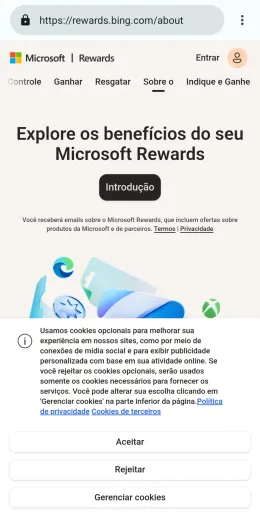
Before spending weeks collecting Microsoft Rewards points, open the Redeem tab inside your own Microsoft account. Because Microsoft points have no fixed global cash value, the exact number of points required for Microsoft/Xbox gift cards, partner retail cards, or sweepstakes entries depends on your country catalog, your Level 1 vs. Level 2 status, and whether promotional stamps or daily streaks are active on your dashboard. If you are new to the program, pair this breakdown with our Microsoft Rewards starter points guide.
How the Microsoft Rewards regional catalog works and why point value varies
Microsoft explicitly states that Rewards points have no cash value and can only be redeemed for eligible items shown in your account's regional catalog. Depending on your country, the Redeem menu may include Microsoft and Xbox gift cards, Microsoft Store credit, third-party partner gift cards, charitable donations, or sweepstakes entries—and some items appear or rotate out over time.
Because each reward category prices points differently, there is no single universal exchange rate. As a referential US-style catalog example, Microsoft and Xbox gift cards often sit near ~1,000 points per $1 USD, whereas third-party partner gift cards typically cost noticeably more points per dollar (such as ~5,000 to 6,500+ points for a $5-tier card depending on your tier and country). Treat any online chart as a regional example only and verify the exact point price inside your own dashboard.
Microsoft: supported Rewards regions
Microsoft Rewards Catalog Factors: Gift Cards, Levels & Stamps (2026)
| Catalog Factor | How It Works | Regional & Level Variation | What to Check Before Redeeming |
|---|---|---|---|
| Microsoft & Xbox Gift Cards | Store credit or Xbox balance redeemed directly to your Microsoft account | Often the lowest points-per-dollar tier (e.g., ~1,000 pts ≈ $1 USD in US-style reference catalogs); Level 2 may unlock better rates | Check credit expiration terms and exact denomination in your country's Redeem tab |
| Third-Party Partner Gift Cards | Digital codes for retail, dining, or entertainment partners where supported | Usually require more points per unit (e.g., ~5,000–6,500+ pts for $5-tier cards in referential markets) and vary heavily by country | Confirm the brand is still in stock in your local catalog before saving toward it |
| Level 1 vs. Level 2 Status | Account tier updated based on monthly point progress on the Status dashboard | Level 2 raises daily earning caps and reduces point prices on eligible Microsoft rewards in supported regions | Verify your current tier and remaining monthly points needed to keep Level 2 |
| Daily Streaks & Stamps / Puzzle Cards | Consecutive Daily Sets, punch cards, or puzzle trackers awarding bonus points | Promotional card availability and bonus sizes differ by account and country; missing a day resets streak counts | Check task deadlines and complete all listed steps in your own region without shortcuts |
| Redemption & Phone Verification | Final checkout step in Redeem > Order history | Requires matching account region; may require mobile or landline SMS/call verification | Never use a VPN, VoIP number, or automated search script during earning or checkout |
Level 1 vs. Level 2: earning caps, discounts, and checking your Redeem rate
Microsoft Rewards splits members into Level 1 and Level 2 tiers based on monthly point activity shown on your Status page. Moving from Level 1 to Level 2 raises daily search and activity earning caps in supported markets and can lower the point requirement on select Microsoft-owned rewards compared with Level 1.
Before committing to a long-term points goal, always click into the specific gift card or account credit in the Redeem tab to see its live Level 1 vs. Level 2 cost and minimum denomination in your local currency. Also check delivery rules and expiration terms on promotional Microsoft account credit versus standard partner gift card codes, which Microsoft delivers via Order history and confirmation emails.
Daily streaks, stamps, and puzzle pieces: how to earn without risking a ban
Alongside regular Bing searches and quizzes, many regional dashboards show Daily Sets, streak counters, and promotional stamp cards (punch cards) or puzzle-piece trackers. Completing the listed daily tasks or multi-step card objectives consecutively unlocks bonus points—but missing a single day resets a daily streak back to zero, and promotional punch cards only count tasks finished within their active window.
Never try to speed up streaks or stamps with VPNs, location spoofing, scripts, browser extensions, or automated searches. Microsoft warns that automated activity and misleading location data violate program rules, and redeeming rewards may require verification with a real mobile or landline phone number (VoIP numbers are rejected) in the same region as your account.
When to use Microsoft Rewards vs. cash-paying survey apps
Microsoft Rewards works best when you already use Bing, Edge, or Xbox and want to offset games, subscriptions, or retail gift cards—not if you need cash for bills. Because Microsoft points never convert into PayPal or bank deposits, expectations stay realistic when you treat it strictly as a store-credit perk.
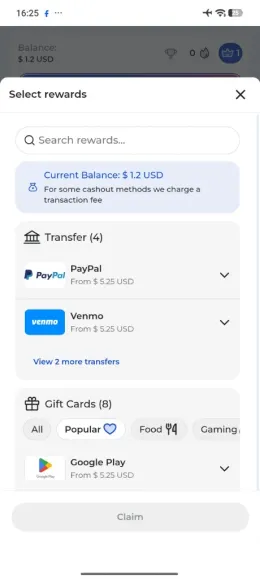
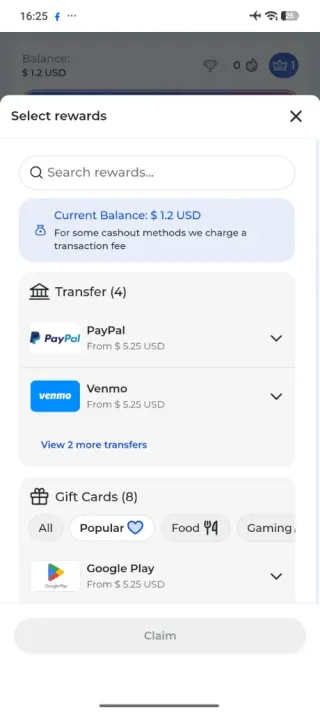
If your main goal is withdrawable PayPal money or bank payouts alongside gift cards, pair Microsoft Rewards with active survey platforms such as Prime Opinion (cashouts starting from $5.25 USD and +10% 24h boost with code ALNTFL) or AttaPoll (low regional thresholds and invite code cgfky). You can compare how cash survey apps differ from store-locked credit in our survey rewards comparison guide.
How to get started
- Sign in to your official Microsoft Rewards dashboard and open the Redeem tab to inspect your country's live catalog.
- Pick a realistic target reward (such as a Microsoft/Xbox gift card or a partner card) and note its Level 1 vs. Level 2 point cost.
- Check your Status page to see how many monthly points keep Level 2 active for higher daily search caps.
- Complete Daily Sets and any active stamp/punch cards on your dashboard consecutively so streaks do not reset.
- When redeeming, turn off any VPN, verify with a standard mobile or landline number if prompted, and track delivery under Redeem > Order history.
What works well
- Clear official catalog tracking and Level 1 vs. Level 2 visibility inside your Microsoft account.
- Microsoft and Xbox gift cards typically offer stronger point value than third-party partner cards.
What to keep in mind
- Points have no cash value and cannot be withdrawn to PayPal or a bank account.
- Catalog brands, stamp/punch-card promos, and exact point rates vary significantly by country.
The apps308 take
Microsoft Rewards is worth using when your regional catalog includes Microsoft, Xbox, or retail gift cards you would actually spend—especially at Level 2 with consistent daily streaks and dashboard stamp promos. Just remember points are never cash, rates vary by country, and PayPal cash seekers are better served pairing it with Prime Opinion or AttaPoll.
Frequently asked questions
How much are Microsoft Rewards points worth in the 2026 catalog?
Microsoft states points have no cash value, so their effective value depends on your regional catalog, reward brand, and Level 1 vs. Level 2 status. As a referential example in markets like the US, Microsoft and Xbox gift cards often average around ~1,000 points per $1 USD, while third-party gift cards require more points (often ~5,000–6,500+ points for a $5-tier card); always check the live rate in your own Redeem tab.
How do you get stamps and daily streak bonuses in the Microsoft Rewards catalog?
Stamps, punch cards, puzzle pieces, and daily streak bonuses appear directly on eligible promotional tiles in your official Microsoft Rewards dashboard. Complete the listed daily set or punch-card steps consecutively within the active window—missing a day resets streak progress—without using VPNs or automated scripts.
What is the difference between Level 1 and Level 2 in Microsoft Rewards?
Level 2 unlocks higher daily point earning caps on eligible searches/activities and can reduce the number of points needed to redeem select Microsoft-owned rewards compared with Level 1. Exact thresholds and benefits vary by region and appear on your Rewards Status page.
Can I redeem Microsoft Rewards points for PayPal cash or a bank transfer?
No. Microsoft Rewards points have no cash value and redeem only for items shown in your regional catalog—such as gift cards, account credit, sweepstakes, or donations. For direct PayPal payouts, consider survey apps like Prime Opinion or AttaPoll instead.
Why does Microsoft Rewards ask for a phone number or block a redemption?
Microsoft may require confirmation using an eligible mobile or landline number and strictly blocks VoIP numbers, VPNs, mismatched regions, and automated search behavior. Make sure your account region matches your physical location and check Redeem > Order history for order status.