V15TT is the Arrow Win invite code. Use it in the referral ID field inside the Android game. The guide shows the form, the reward screen after submission, and what to check if the code is not accepted.
Where to enter the Arrow Win referral code
Enter the code on the game’s home screen. The screenshots show the Portuguese interface, so look for the labels in quotation marks.
Referral code at a glance
| Item | What to look for |
|---|---|
| Invite code | V15TT |
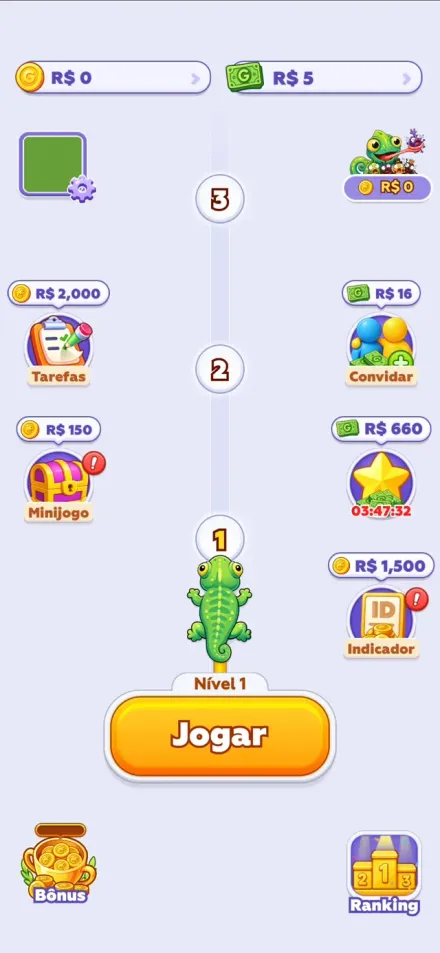
| Home screen button | “Indicador” (Referrer) |
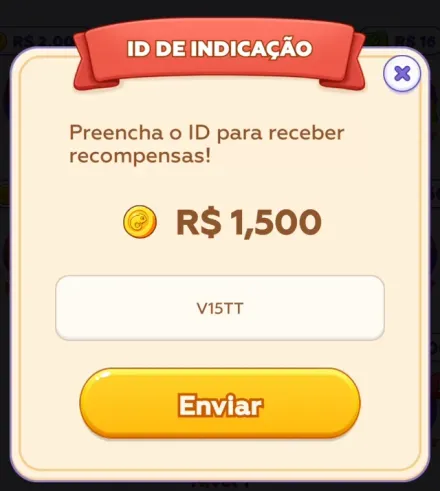
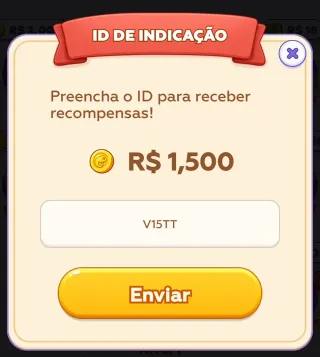
| Entry field | “ID de indicação” (Referral ID) |
| Submit button | “Enviar” (Submit) |
| Screen after submission | “Legal!” animation with coins and R$ 1,500 in-game |
| Closing the reward | “Clique para FECHAR (3s)” (Tap to CLOSE) |
How to get started
- Open Arrow Win and tap “Indicador” (Referrer).
- Type or paste V15TT in the “ID de indicação” (Referral ID) field.
- Tap “OK” on the keyboard if needed, then tap “Enviar” (Submit).
- Tap “Clique para FECHAR (3s)” to return to the home screen.
Open the referral form from the home screen
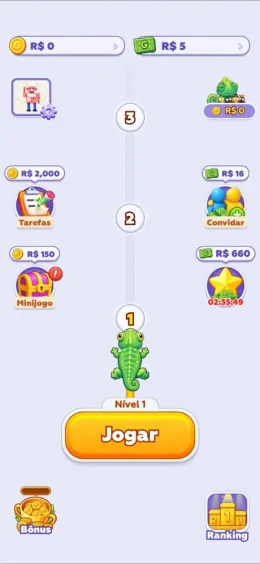
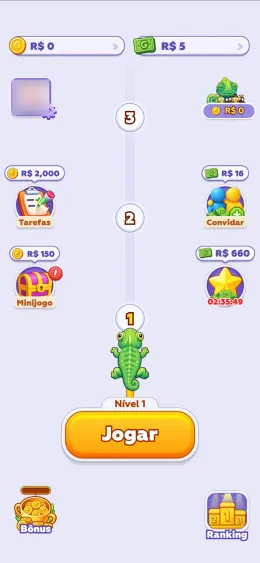
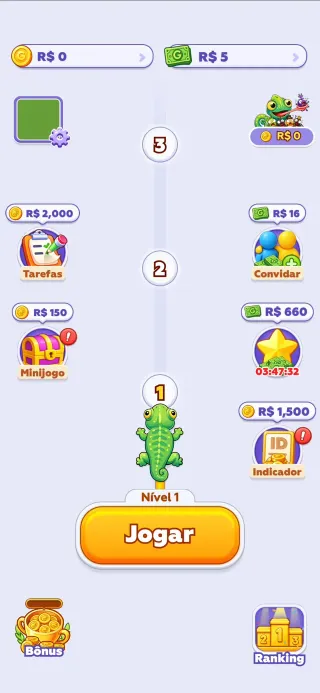
Tap “Indicador” (Referrer) on the right side of the home screen. Its icon shows an ID card just above and to the right of “Jogar” (Play).
Do not confuse it with the “Convidar” (Invite) shortcut, which also appears on the home screen next to “Tarefas” (Tasks) and “Minijogo” (Minigame): the form in this guide opens from “Indicador”, to register the code of the person who invited you.
Enter the referral ID and tap Submit
Enter V15TT in the field under “ID de indicação” (Referral ID). If the keyboard stays open, tap “OK” on the keyboard to confirm your entry. Then tap “Enviar” (Submit) in the game.
What the game showed after submission
After the code was submitted, the recording shows an in-game reward animation: the title “Legal!” over a pile of coins marked R$ 1,500, with “Clique para FECHAR (3s)” (Tap to CLOSE, 3s) at the bottom.
That value is the in-game balance shown on the reward screen. The recording does not show a real-money cashout, and reward eligibility depends on the app and the account: treat the animation as a record of what appeared on that device, not as a payment promise.
If you searched for the Arowin invite code and still need the game, the Arrow Win download guide shows how to identify its Google Play listing.

If the code is not accepted
Check that the text is exactly V15TT, in uppercase, in the “ID de indicação” (Referral ID) field opened by “Indicador”. The recording shows two simple precautions: confirm the entry with “OK” on the keyboard before tapping “Enviar” (Submit), and do not leave the code half entered.
If the game answers with a different message, the cause may be account eligibility: the recording covers a single device, and the app itself defines which accounts can claim referral rewards. In that case, check the official Google Play listing and the rules shown inside the game before trying again.
What works well
- You can copy the code or type it directly into the game.
- The screenshots show where to find the button and the form.
- The reward screen after submission is documented in a screenshot.
What to keep in mind
- The recording covers one device.
- The animation value is in-game balance, not a confirmed cash withdrawal.
The apps308 take
Copy V15TT, open “Indicador” (Referrer) in Arrow Win, and submit it from the referral ID form. The recording shows the reward animation after submission; the value shown is in-game balance, and eligibility depends on the account.
Frequently asked questions
What is the Arrow Win invite code?
V15TT is the invite code, also called a referral code, shown in this guide.
Where do I enter the Arrow Win referral code?
On the home screen, tap “Indicador” (Referrer), enter V15TT in “ID de indicação” (Referral ID), and tap “Enviar” (Submit).
What do I do if the keyboard stays open?
Tap “OK” on the keyboard to confirm V15TT, then tap “Enviar” (Submit) in Arrow Win.
What appears after submitting V15TT?
The recording shows the “Legal!” animation with a pile of coins marked R$ 1,500 and “Clique para FECHAR (3s)” (Tap to CLOSE). It is the in-game balance on that screen; the recording does not confirm a real-money cashout.
Does V15TT work on any account?
The recording shows submission on a single device. Referral reward eligibility depends on the app and the account; there is no guarantee that every account receives the same reward.
Is it safe to enter the referral code in Arrow Win?
The form shown in the recording asks only for the code, with no personal data. Download the game only from COOLYA’s official Google Play listing and avoid modified APKs that promise extra coins.