Editorial transparency: some links and invite codes on this page are affiliate or referral links. We may earn a commission or referral bonus at no extra cost to you. Our reviews and verdicts remain independent. Terms & Disclaimer.
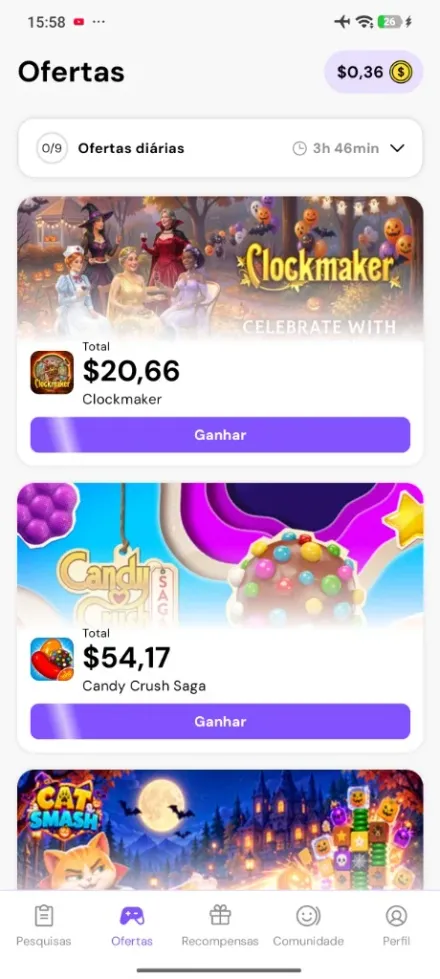
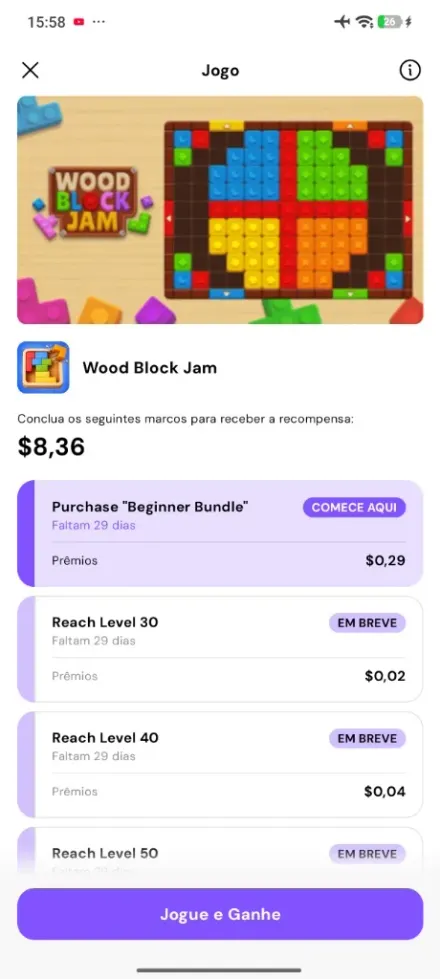
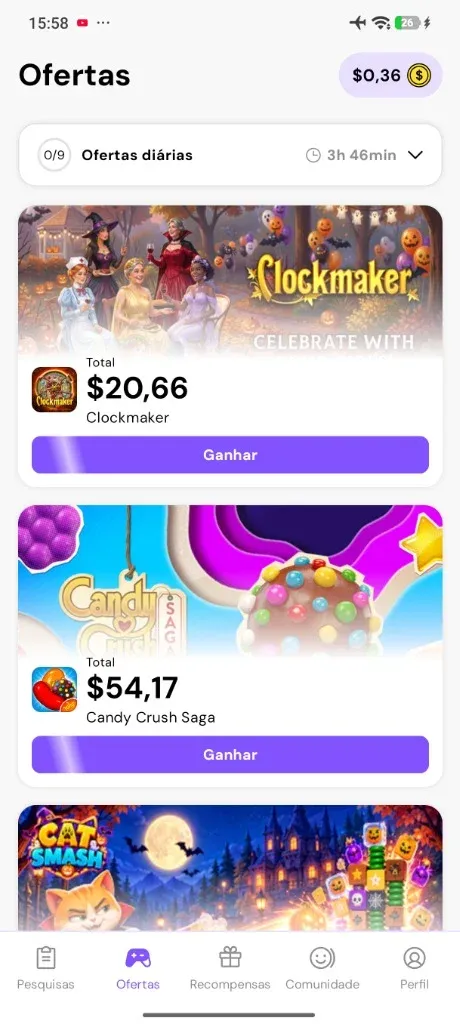
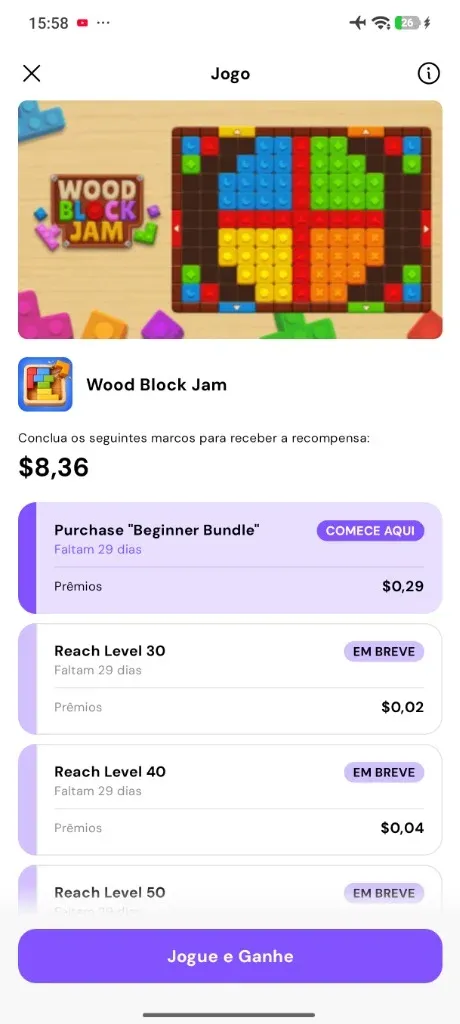
The supplied Offers screen includes Candy Crush Saga ($54.17), Clockmaker ($20.66) and Wood Block Jam ($8.36) as advertised totals. Those examples are historical, conditional offers, not current guaranteed earnings. This guide explains what to check before installing and how to handle missing progress.
How milestone payouts work in mobile games
Unlike legacy apps that only paid pennies for casual playtime, modern offerwalls reward progress milestones. When you start an offer like Wood Block Jam or Clockmaker, the app breaks down the total reward into escalating achievements (for example, reaching level 30, level 40, and level 50).
Only eligible milestones listed in the offer can earn their assigned reward. A total shown at the top is not paid simply for installing, and reaching a level does not by itself establish that credit has been recorded.
Browse gaming offers on Pawns.app using invite code 6823713
Tracking permissions and completion deadlines
Pawns.app says the game must be a first installation through its offer link. Check requested location/ad-tracking settings and keep VPN off; on iPhone, allow the game’s tracking request if you choose to participate.
Use the specific deadline in your offer, not a general 14–30-day assumption. The supplied Wood Block Jam screenshot shows 29 days remaining at capture time; that is not a rule for other titles.
Pawns.app: missing game progress and tracking requirements
Free-to-play strategy vs. in-app purchases
The supplied Wood Block Jam screen includes a Beginner Bundle purchase milestone. A purchase can be required for that specific reward even when other level milestones do not mention spending. Read each task rather than treating all stages as free.
Work out the purchase cost, reward and deadline before deciding. We have not tested whether every advertised level can be completed without spending. Skip a stage that does not make economic sense for you.
How to get started
- Open Offers and inspect the full milestone list.
- Save eligibility, reward, deadline and any purchase requirement before starting.
- If eligible, install once through the selected offer link and open the game.
- Review the permissions required for that offer; do not use a VPN to change your location.
- Check recorded progress and use the provider’s Report a Problem route if a qualifying milestone is missing.
What works well
- Milestone lists let you inspect the conditions before playing.
- Separate stages help you evaluate a smaller target instead of the headline total.
What to keep in mind
- Higher milestones require consistent daily gameplay before the time limit expires.
- Must be a first-time player of the specific game on that device.
The apps308 take
Choose a modest milestone whose terms you can meet. Confirm progress, compare reward with costs and time, and avoid interpreting a high advertised total as money already earned.
Frequently asked questions
Do I have to spend money to earn on Pawns.app game offers?
It depends on the milestone. A purchase task requires spending for that reward; a level task has its own conditions. We have not established that every level is practical to finish for free.
Why did a game level milestone not track?
Check first-install eligibility and the offer’s terms. Pawns.app says tracking may take up to 48 hours; its offer page has an information icon and Report a Problem option for missing progress.
How long do I have to finish game milestones?
Use the deadline written in your chosen offer. A remaining-time screenshot from one game does not establish a universal limit.