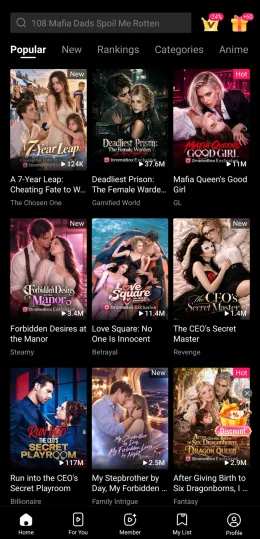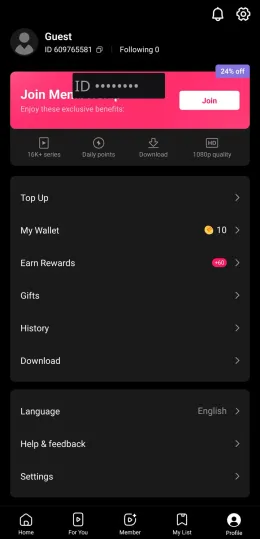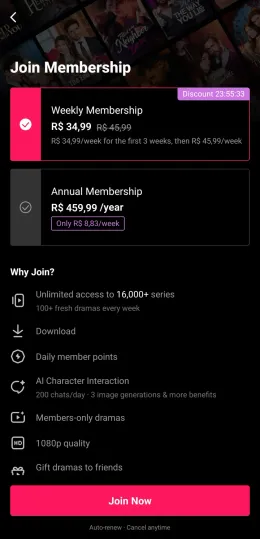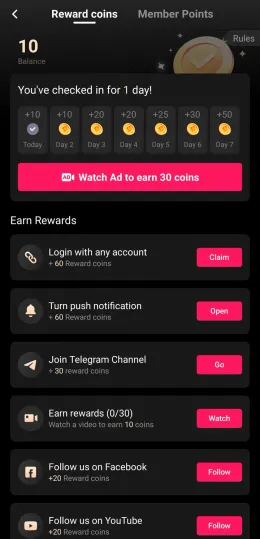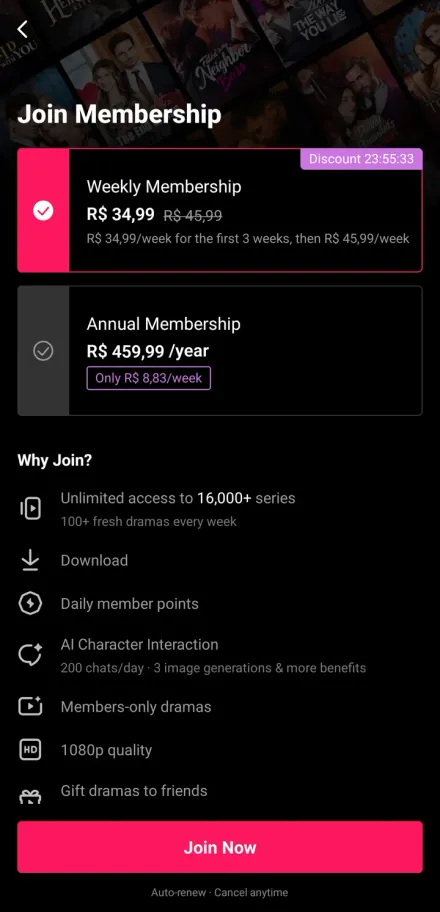
DramaBox's Join Membership screen offers unlimited access to 16,000+ series, 1080p quality, offline downloads, and daily member points—but its default billing cycle is a recurring weekly or annual plan with auto-renewal enabled. Knowing the real cost and how to cancel before the 24-hour renewal window prevents surprise charges.
DramaBox Recharge & Coin Pack Prices vs. Weekly VIP Subscription Cost
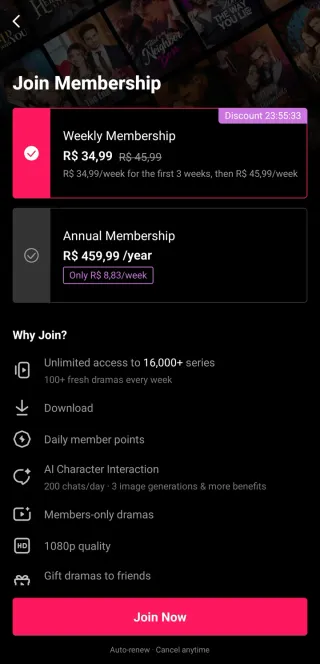
Pricing is localized by app store region, and the inspected Join Membership screen lists Weekly and Annual VIP plans rather than a standard monthly tier. In our Brazil Google Play inspection, DramaBox displayed a Weekly Membership promo at R$ 34.99/week for the first 3 weeks (rising to R$ 45.99/week afterward) and an Annual Membership at R$ 459.99/year (about R$ 8.83/week). In the US and other regions, store tiers typically follow similar introductory-discount weekly and annual structures. If you only want to finish one series through a one-time coin recharge without recurring billing, compare DramaBox Top Up coin packs vs. VIP membership first.
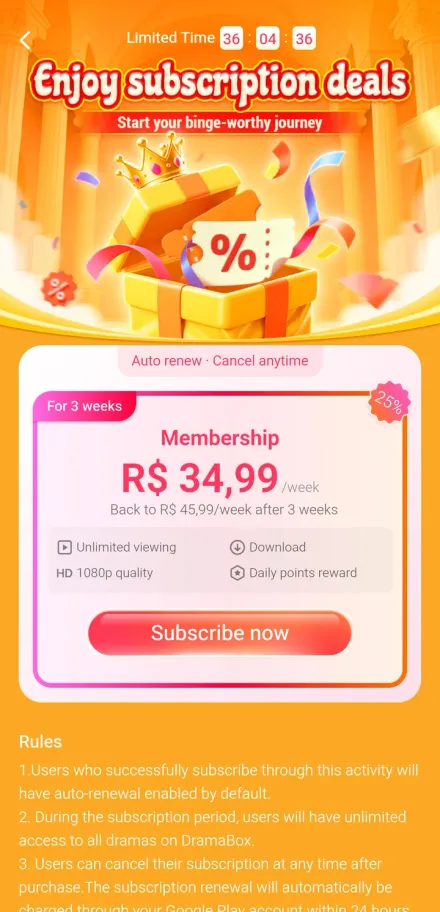
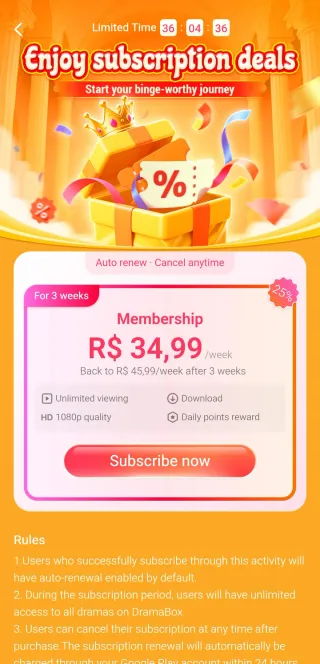
The Subscription Deals rules explicitly state: 'Users who successfully subscribe through this activity will have auto-renewal enabled by default' and renewal is charged automatically within 24 hours before the end of the current period.
DramaBox on Apple App Store (StoryMatrix)
How to cancel DramaBox subscription on Android & iPhone
Deleting the DramaBox app from your phone does NOT cancel your subscription. Because billing is handled by Google Play or Apple, you must cancel directly in your store's Subscriptions menu at least 24 hours before the next billing date.
On Android, open the Google Play Store app, tap your profile icon -> Payments & subscriptions -> Subscriptions -> DramaBox -> Cancel subscription. On iPhone/iPad, open Settings -> tap your Apple ID name -> Subscriptions -> DramaBox -> Cancel Subscription. After canceling, you can still watch using free DramaBox Reward Coins from daily check-ins and ads.
How to get started
- Check whether you subscribed via Google Play (Android) or Apple App Store (iPhone) and confirm the exact renewal date.
- On Android: open Google Play Store -> Profile icon -> Payments & subscriptions -> Subscriptions -> DramaBox -> Cancel subscription.
- On iPhone: open Settings -> [Your Name] -> Subscriptions -> DramaBox -> Cancel Subscription.
- Keep the cancellation confirmation email/screenshot—you retain access until the end of the current paid period.
What works well
- Membership removes episode locks across 16,000+ series and enables 1080p quality and downloads.
- Subscriptions are managed through Google Play or Apple, making cancellation straightforward without contacting support.
What to keep in mind
- Weekly renewal pricing is high compared to mainstream monthly streaming services, especially after the 3-week intro discount ends.
- Auto-renewal is enabled by default and charges within 24 hours before the period ends.
The apps308 take
If you subscribe to DramaBox for a weekend binge, cancel immediately in Google Play or Apple Subscriptions so auto-renewal does not bill a full-price second week.
Frequently asked questions
How do I cancel my DramaBox subscription?
Do not just uninstall the app. Cancel in Google Play Store (Profile -> Payments & subscriptions -> Subscriptions -> DramaBox) on Android, or in iPhone Settings -> Apple ID -> Subscriptions -> DramaBox at least 24 hours before renewal.
How much is DramaBox per week, month, or coin recharge?
Prices vary by country, app store, and active promos. On our inspected Android screen (Brazil), Join Membership offered a Weekly plan at R$ 34.99/week for 3 weeks (then R$ 45.99/week) and an Annual plan at R$ 459.99/year (~R$ 8.83/week), with no standard monthly VIP plan displayed on that screen. One-time Top Up coin recharge bundles also show localized pricing directly inside the app's Wallet/Top Up tab before checkout.
Is DramaBox membership worth it?
Only if you plan to binge multiple full series within a short window and remember to cancel before renewal. Casual viewers can watch free episodes and unlock more using Reward Coins.